Follow these steps to create a single shipment for next-day delivery.
Click "Create Order” on the order platform and select your shipment's origin country (Malaysia, Singapore, Thailand, or Hong Kong).
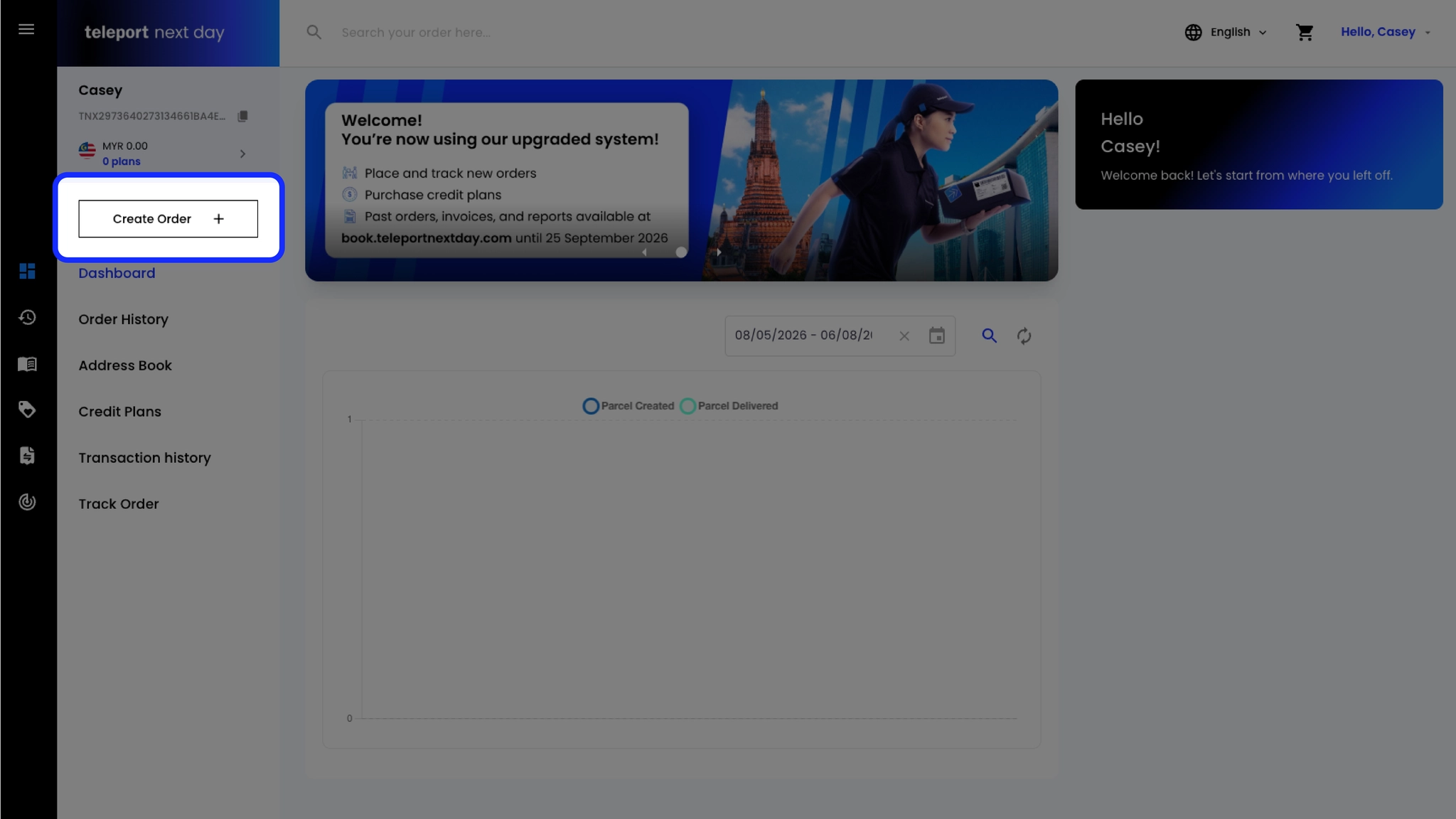
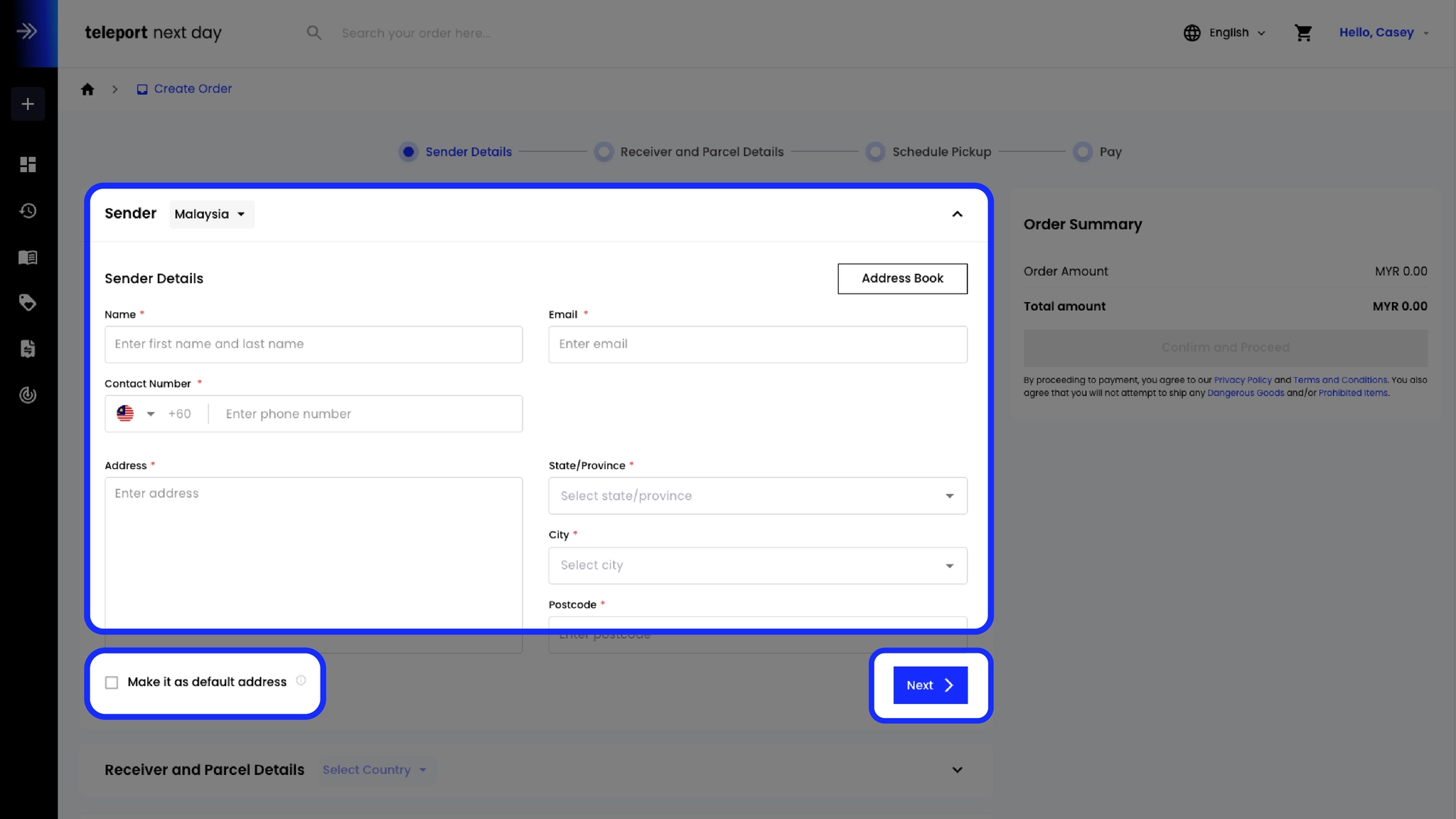
Fill in the sender's information. If you'll be shipping from the same address regularly, tick "Make it as default address" to save it for future orders. Click "Next" to continue.
Select the destination country (Malaysia, Singapore, Thailand, or Hong Kong), then enter the recipient's contact details.
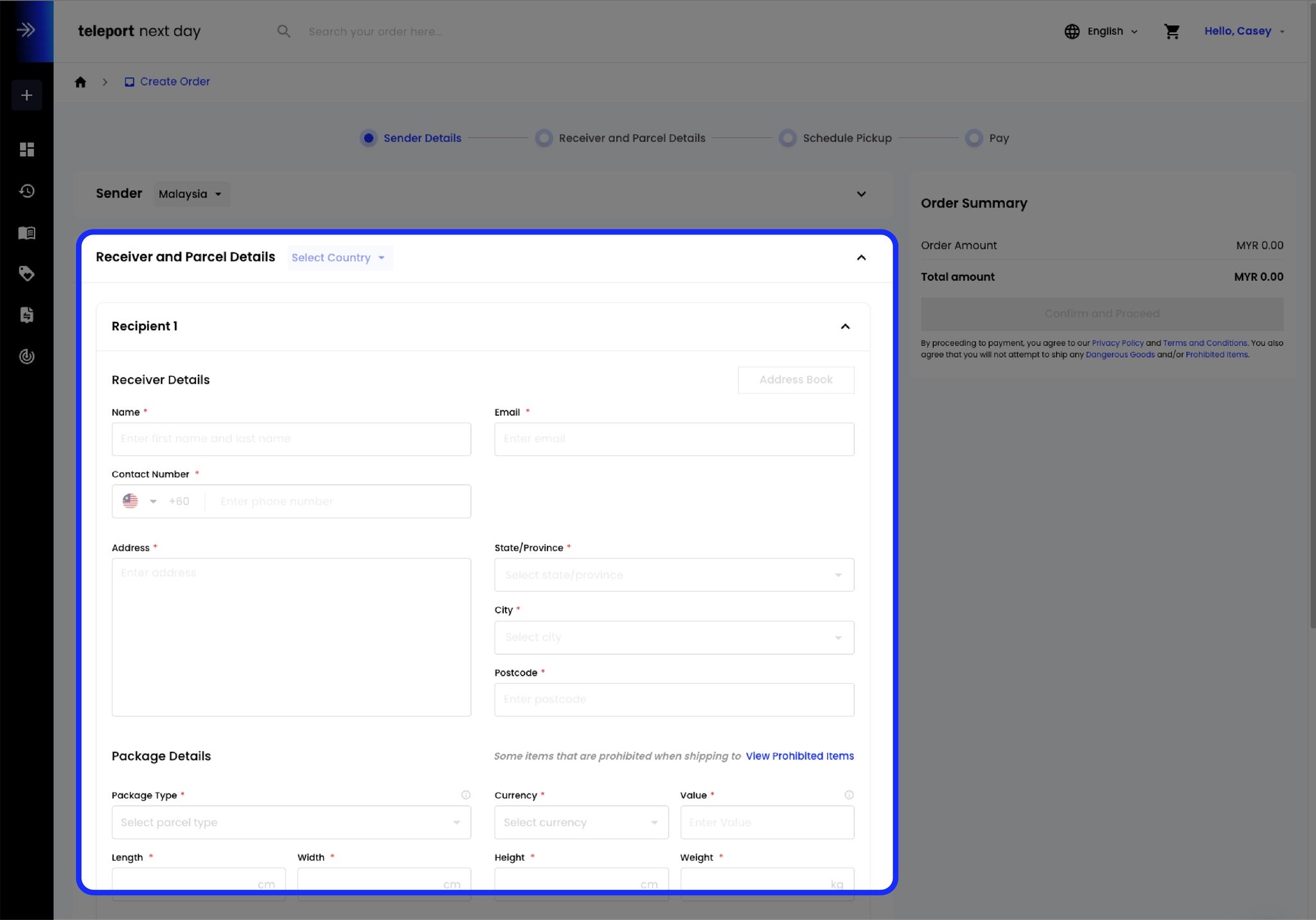
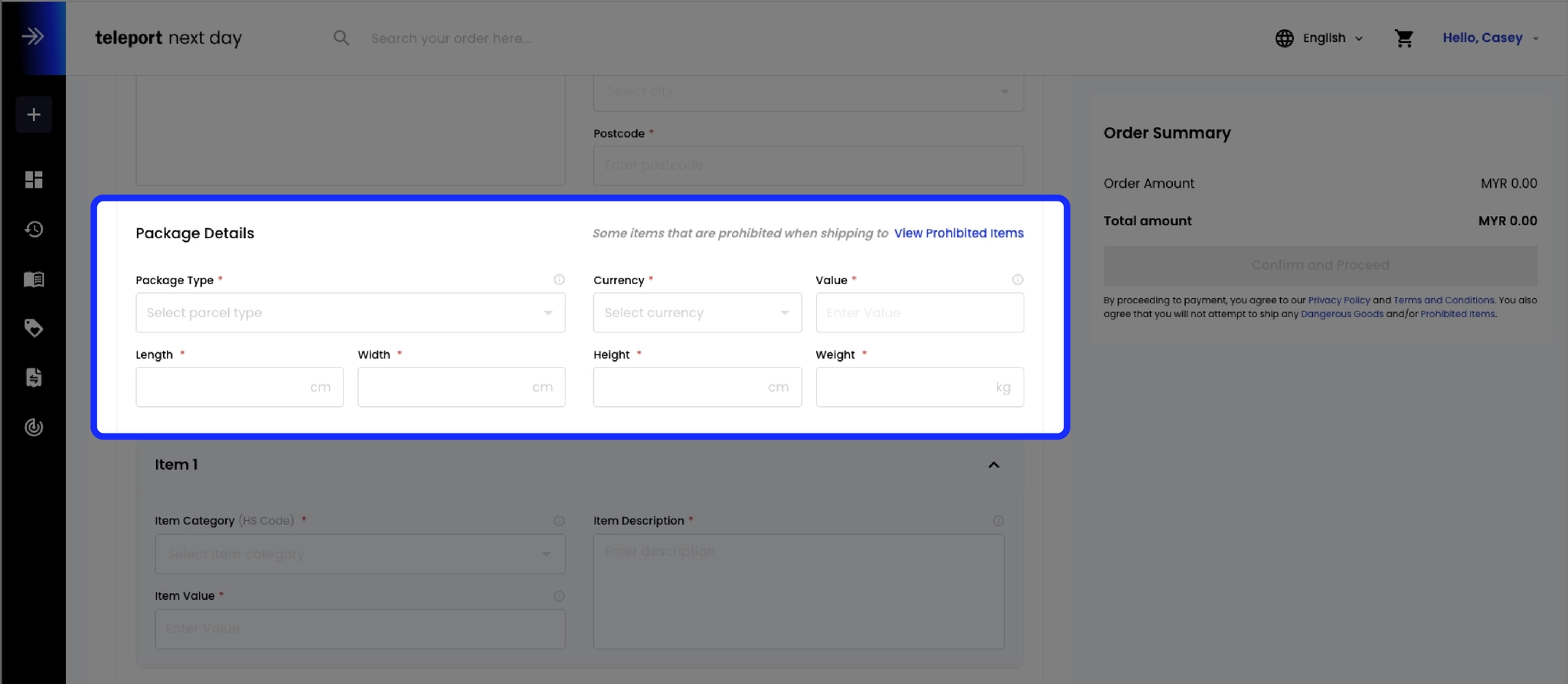
Select your package type (Box or Polymailer), and include the dimensions (length, width, height, and weight), currency, and value of your parcel. *Package limits: Your parcel must weigh 15 kg or less, with a maximum combined dimension (Length + Width + Height) of 130 cm.
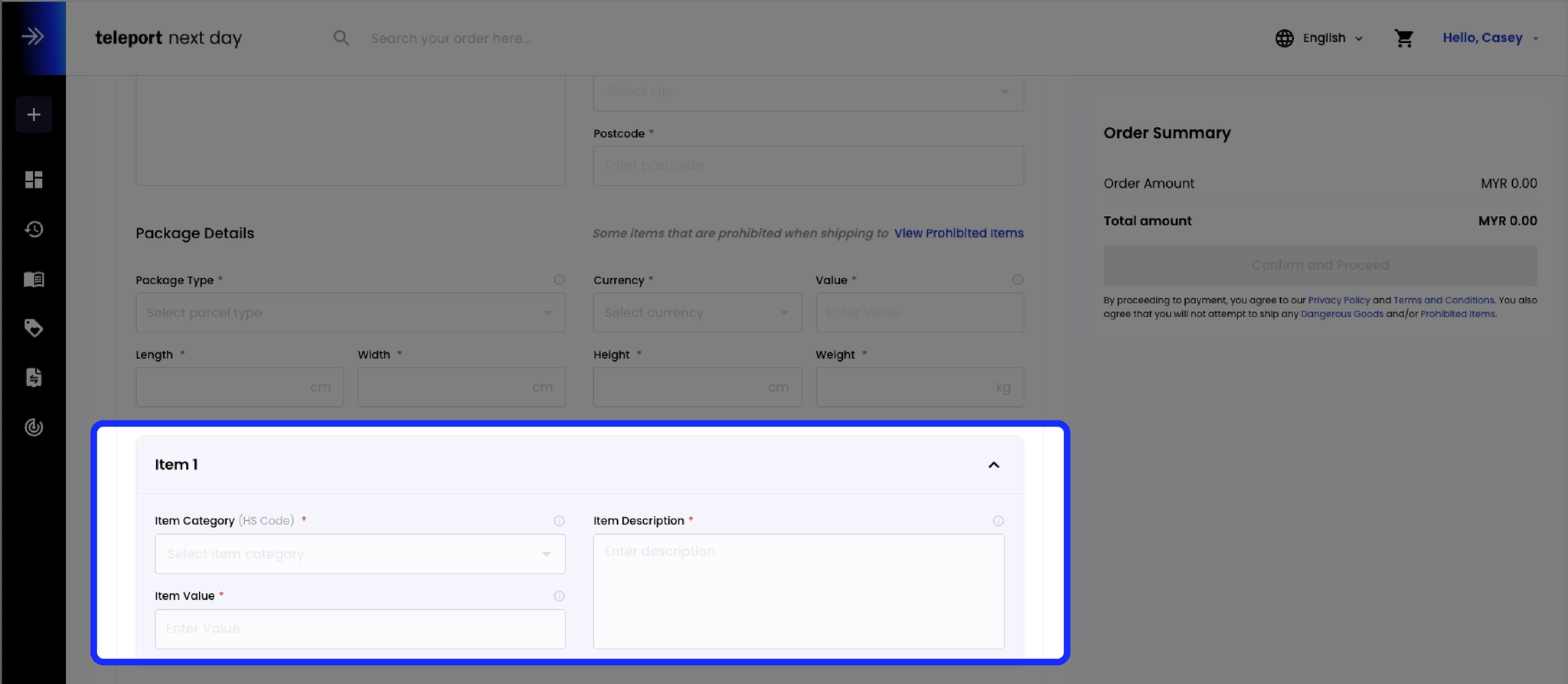
Enter the item category, description, quantity and declared value for the contents of your parcel.
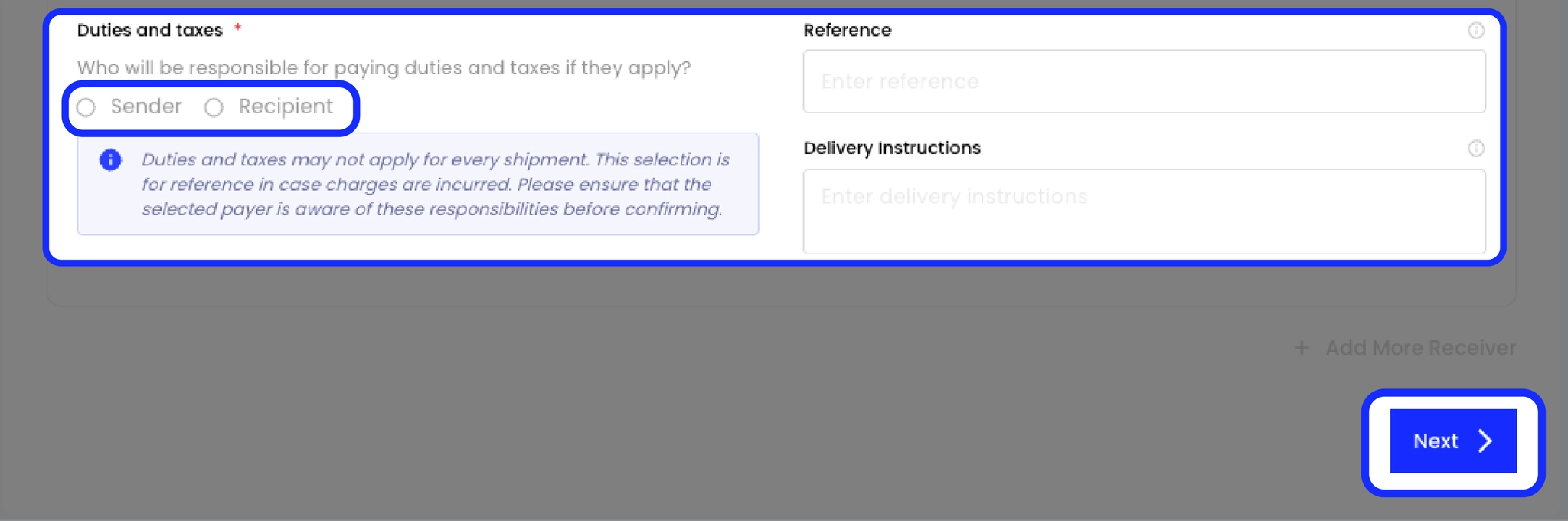
Select either:
Click “Next” to continue.
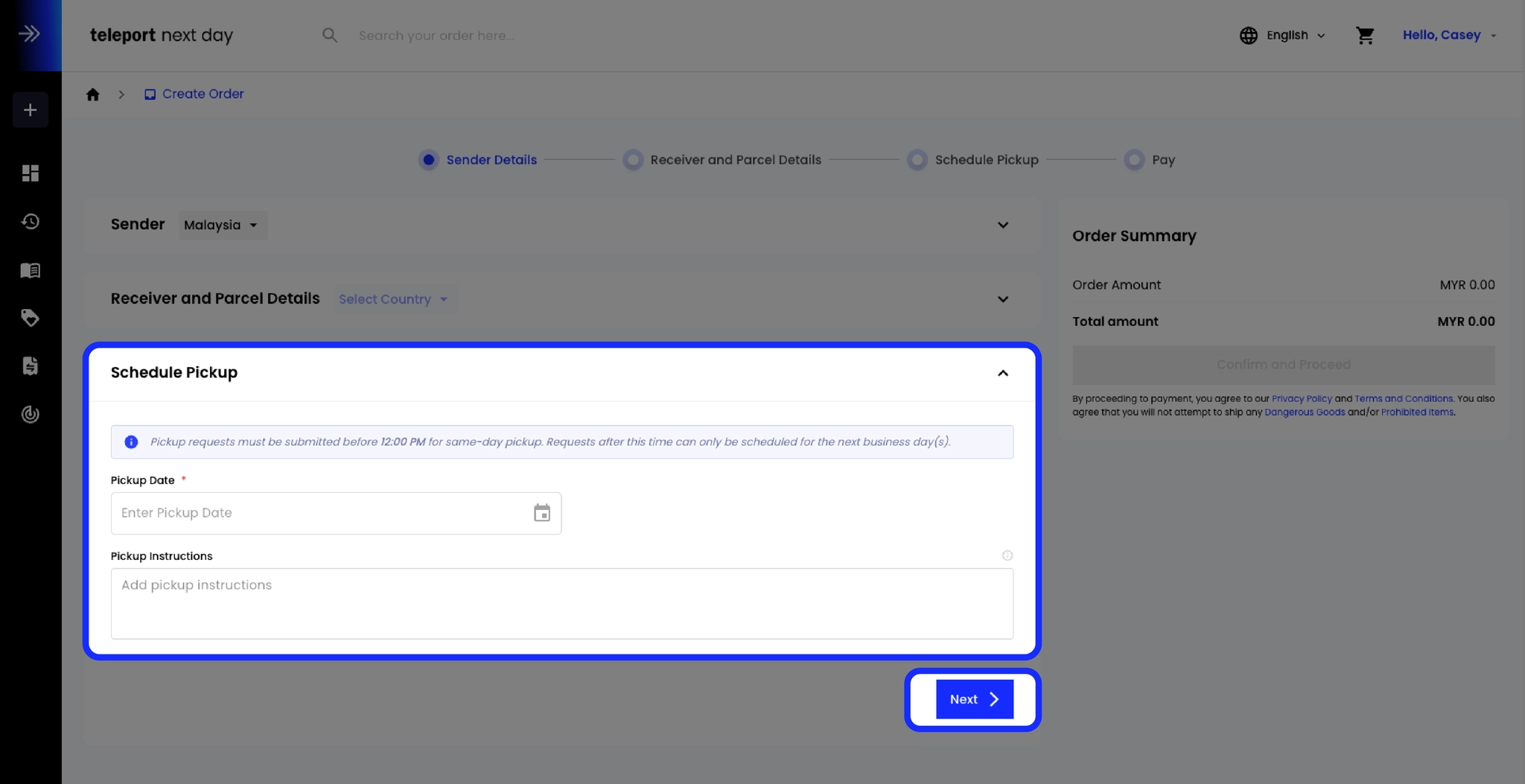
Choose a pickup date and add any instructions for our rider, if needed. Click “Next” to continue.
*Note: For same-day pickup, submit your order before 12:00 pm.
Select your preferred payment method, such as:
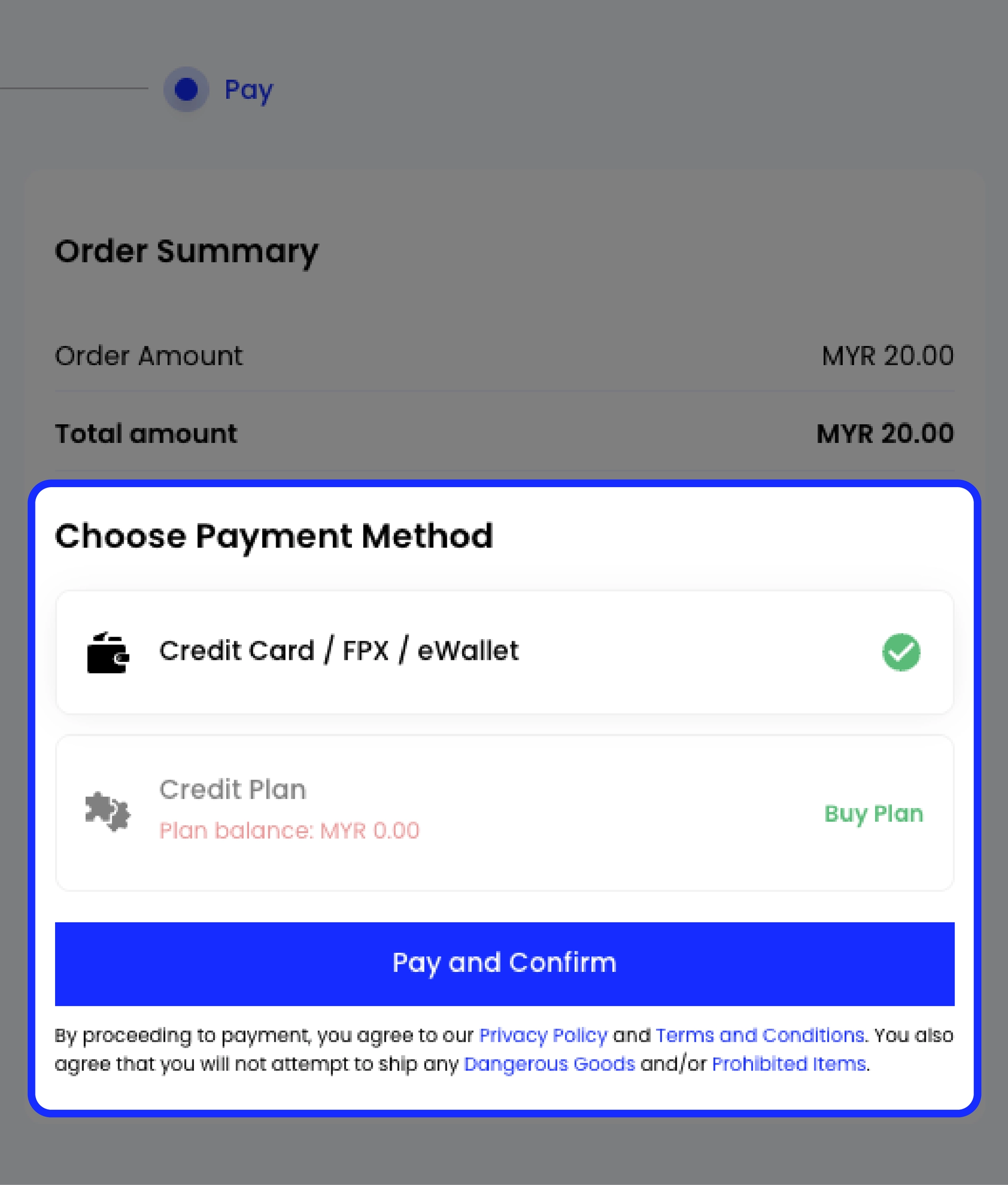
Complete your payment on the secure payment portal.
Once your payment is successful, your consignment note will be generated. Download it from your Order Dashboard, or use the copy sent to your registered email address.